rackline.ai - AI Deer Scoring
rackline.aiSports
3.227.00 Reviews
- Version
- 3.0.34
- Installs
- 10.00K
- Age Rating
- Everyone
Screenshots
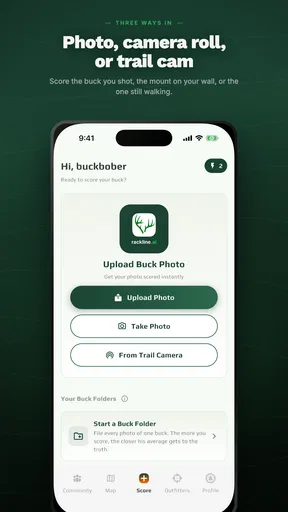
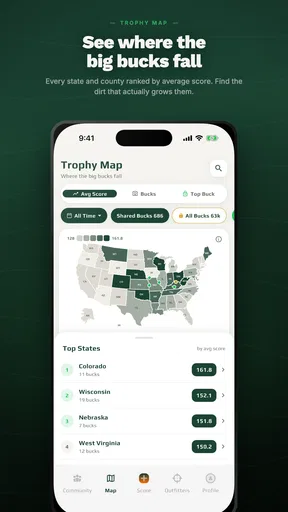
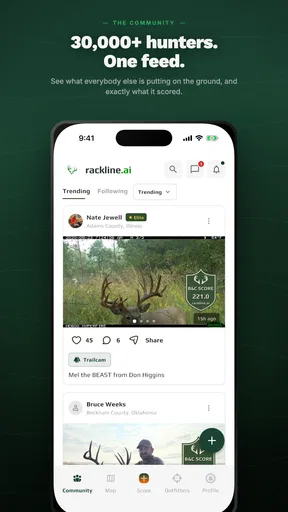
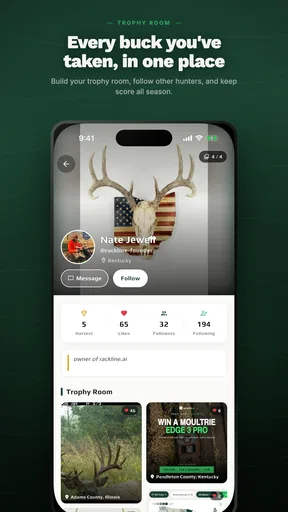
Our Review of rackline.ai - AI Deer Scoring
 Analysis by Appyee
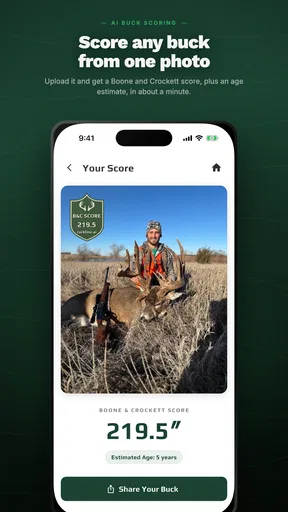
I approached rackline.ai as a practical field tool rather than a novelty camera app. Its purpose is narrow but useful: it examines photographs of deer antlers and produces an estimate based on Boone & Crockett scoring. That makes the app relevant to hunters, land managers, wildlife photographers, and anyone who wants a quick reference before doing a careful manual measurement.
My first impression is that its value depends less on curiosity and more on how you plan to use the result. If you want an immediate estimate from a set of clear photos, it can save time. If you need an official score for records, competition, or a serious decision about an animal, I would treat the result as a starting point, not the final authority. That distinction is the key to deciding whether this free sports app belongs on your phone.
What I would consider before relying on an AI antler score
The first decision is whether speed matters more than formal accuracy. Traditional scoring takes patience, a tape, a consistent method, and enough familiarity with the Boone & Crockett system to measure the right points. A photo-based estimate removes much of that setup, which is especially helpful when the rack is in front of you only briefly or when you are reviewing pictures later.
The second decision is photo quality. An AI estimate can only work with what the camera shows. A front-facing image may make the rack look balanced while hiding tine length or beam curvature. An angled shot can reveal one side beautifully and obscure the other. Shadows, overlapping antlers, a tilted head, and a cluttered background can all make interpretation harder. I would take several deliberate pictures rather than expect one casual snapshot to carry the whole job.
That leads to a useful workflow: photograph both sides, include a reasonably straight view, keep the rack fully inside the frame, and avoid relying on a picture where one antler blocks another. I would also keep the original images instead of cropping aggressively. A clean composition gives the app more visual information and gives me something to review if the estimate seems surprising.
There is another important question: what does “score” mean in your situation? For a quick conversation with friends, comparing photographs, or deciding which racks deserve a closer look, an instant estimate may be enough. For documentation, a taxidermy discussion, a hunting record, or any situation where small differences matter, I would still measure manually or ask an experienced scorer to verify the result.
The app is free to install, but optional purchases range from $4.99 to $499.99 per item. That wide range makes it sensible to understand the basic experience before spending anything. I would not assume that paying automatically turns a photo estimate into an official measurement. The purchase decision should be based on the specific value you receive, not simply on the presence of an upgrade.
How the photo workflow affects the result
With this kind of tool, the best preparation happens before opening the app. I would clean the camera lens, use daylight when possible, and take pictures at the same distance. Keeping the camera level helps prevent perspective from making one side appear larger. If the deer or mount cannot be positioned perfectly, several views are more useful than repeatedly submitting the same weak angle.
I would also avoid treating a close-up as automatically better. A tight image may show texture but cut off the tips or base of the antlers. A wider image may preserve the complete rack while making details less obvious. The practical goal is not artistic photography; it is a complete, readable view with minimal obstruction.
One non-obvious benefit of this approach is that it creates a repeatable comparison process. If you are reviewing several racks, photograph each one using roughly the same angle and lighting. Even if the estimates are not formal scores, consistent images make the results easier to compare. That is more useful than chasing the highest number from whichever picture happens to flatter a rack.
Where rackline.ai is most convenient
The strongest part of the experience is immediacy. Instead of gathering a measuring tape and working through every dimension before forming an opinion, I can begin with photographs. That is particularly practical after a day outdoors, when I want to sort images while the details are still fresh.
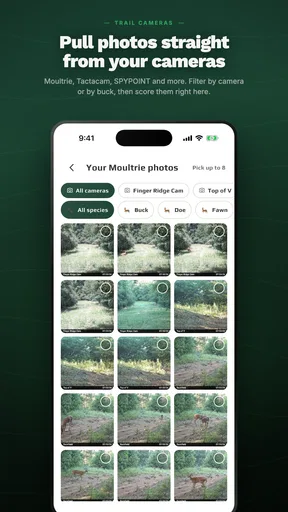
It also fits situations where the rack is not physically available. You may have photographs from a trail camera, a friend’s hunting trip, a social post, or an older album. A photo-based tool gives those images a purpose beyond simple viewing. It can help identify which racks deserve closer inspection and which are unlikely to justify a lengthy manual session.
For beginners, the app can make Boone & Crockett scoring feel less intimidating. The scoring system has enough terminology and measurement detail to discourage someone who only wants a rough understanding. An AI estimate provides an accessible entry point, as long as the user understands that convenience does not remove the need for judgment.
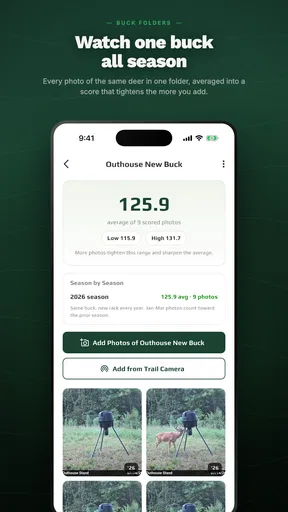
I also see value for land managers who review many images over time. The app could serve as a first-pass sorting aid: flag the photographs that appear worth discussing, then use a more careful process for the important ones. That is a better use than presenting every automated result as a definitive record.
What the developer’s approach suggests about the app
The developer is rackline.ai, and the product is focused tightly on antler scoring rather than trying to be a broad hunting companion. That narrow purpose is a strength because the interface and concept do not need to compete with maps, weather tools, equipment catalogs, or social features. You open it with one clear question in mind: what might this rack score from the available images?
At the same time, a focused app has a smaller margin for error in the user’s eyes. If a general outdoor app gets one secondary feature wrong, the rest may still be useful. Here, the central estimate is the product. I would therefore pay close attention to whether the result is consistent across multiple photos and whether it matches what I can see myself.
The current version is 3.0.28, which tells me the app is not presented as an untouched first experiment. Still, a version number alone is not a guarantee that every unusual rack, poor photograph, or regional scoring nuance will be handled perfectly. I would use the current release, keep the app updated, and remain cautious with unusual antler configurations.
How it compares with measuring by hand
Manual scoring remains the better alternative when precision and accountability matter. A tape lets you inspect the rack directly, repeat a measurement, and understand why the final number changed. It also helps you learn the scoring method instead of receiving a result without seeing the underlying work.
The trade-off is time and equipment. Manual scoring is less convenient when the rack is only available in pictures, when several images need quick screening, or when you are not yet comfortable with the process. In those cases, rackline.ai is not really replacing a careful scorer; it is filling the gap before one becomes involved.
There is also a useful middle ground. I would use the app to form an initial estimate, then manually check the measurements that appear most important. If the result is close to a personal milestone or record threshold, a second method becomes especially valuable. The app can reduce the amount of work without being asked to carry all of the responsibility.
When another type of tool is the better choice
If your main need is learning the Boone & Crockett system, a detailed scoring guide or a knowledgeable local scorer may teach more than an automated number. Education requires seeing each measurement and understanding the rules behind it. An app that gives a result quickly may not explain enough for someone who wants to build lasting expertise.
If your main need is managing a hunt, this is also not a substitute for a broader field app. It does not occupy the same role as navigation, weather, regulations, harvest logging, or property-management software. I would choose it as a specialist companion, not as an all-in-one outdoor platform.
And if your photographs are consistently poor, the better alternative may be improving the capture process before changing apps. No scoring tool can recover an antler tip hidden outside the frame or a measurement obscured by another tine. Better images may produce a larger improvement than switching between similar photo-based services.
Everyday use: sorting a folder after a hunting trip
Imagine returning from a trip with a phone full of rack photographs. Some show complete profiles, some are tilted, and others capture only one side. I would first separate the usable images from the rest, then submit the clearest views rather than uploading everything without thought. For a promising rack, I would compare the estimate from a side view with the estimate from a more balanced view.
If the numbers or impressions differ noticeably, I would not simply choose the higher one. I would inspect the photographs for perspective, missing tips, or an obscured beam. That small habit prevents the app from becoming a confirmation machine. The goal is to understand why a result looks plausible, not to select the most flattering result.
After that first pass, I would make a short list of racks that deserve manual attention. This is where the app saves the most practical time: it helps decide where to spend effort. I would label the original photographs with the date or location in my own photo library, because the scoring estimate is much more useful when I can remember what each image represents.
Limitations I would keep in mind
The main limitation is unavoidable: a two-dimensional photograph does not show every physical detail equally well. Perspective can change apparent length, and a rack that looks symmetrical from one angle may not be symmetrical in person. Even a sharp image can leave questions about hidden points, exact bases, or the relationship between measurements.
Another source of friction is user expectation. The store rating is 3.2 from around 65 ratings, with 16 written reviews, so the public response is mixed rather than universally enthusiastic. I would read that as a reason to test the app on photographs whose characteristics I already understand. A controlled trial is more informative than assuming the result will be reliable for every rack.
The app is marked for Everyone and requires Android 7.0 or later, which makes it accessible to many Android users with older devices. That is helpful if you do not carry the newest phone into the field. Still, device age can affect camera quality, and the minimum operating system does not guarantee that every older phone will produce equally useful images.
Because the app is free, trying it is relatively easy. The more important cost is not installation; it is the risk of treating an estimate as a formal score. I would be particularly careful if the result might influence a purchase, a record claim, a public post, or a disagreement about a rack. In those cases, verification is worth more than convenience.
The real cost of switching from a familiar method
Moving from manual scoring to an AI workflow changes what you pay attention to. With a tape, the effort is in taking measurements. With a photo tool, the effort shifts toward capturing and selecting images. That is not necessarily less work, but it is a different kind of work, and it rewards consistency.
Someone who already owns the right measuring tools and knows the scoring process may gain little from switching for important racks. The app will be faster for rough estimates, but manual scoring may already be routine. By contrast, a beginner or occasional user may find the photo workflow easier to start with, especially when the rack is not nearby.
There is also a learning cost. If you use automated estimates exclusively, you may never develop a feel for how tine length, beam measurements, and symmetry affect the total. My preferred approach is to use the app as a check against my own reasoning. Over time, comparing the estimate with a manual review can make the scoring system easier to understand.
For anyone considering an in-app purchase, I would first test several representative photographs and decide whether the result changes what I can do. Since individual items can cost from $4.99 to $499.99, I would be especially careful with higher-priced options and confirm exactly what practical problem the purchase solves before committing.
Who should install it
I would recommend trying it if you regularly handle deer-antler photographs, want quick Boone & Crockett estimates, or need a screening tool before spending time on detailed measurements. It is also a reasonable choice for curious beginners who want an approachable first step into antler scoring.
I would be more cautious if you need official-grade certainty, if your images are mostly incomplete, or if you already have a trusted scorer and a reliable manual process. In those situations, the app may still be convenient, but it should remain secondary.
Its sports category is a fair fit because the app supports a specific outdoor scoring activity rather than general photo editing. The store lists it as free, with ten thousand-plus installs, so it has reached an early audience without being presented as a mainstream utility. That scale makes me view it as a specialized tool worth testing, not an established authority whose result should go unquestioned.
My recommendation after weighing the alternatives
My recommendation is to use rackline.ai as a fast estimate and sorting aid, not as the final word on a Boone & Crockett score. Its best use is clear photography, quick comparison, and deciding which racks deserve a careful manual review. That role is genuinely useful and more realistic than expecting a picture alone to replace direct measurement.
I would install it when I had several good images to evaluate, submit consistent views, and investigate any result that seemed unexpectedly high or low. I would avoid paying for an expensive option until the basic workflow had proved valuable for my own photographs. The app’s convenience is real, but so is the need for sensible verification.
For a casual user, that balance makes the free entry point appealing. For a serious scorer, it is best understood as an additional opinion. If you want speed, accessibility, and a practical first pass, this specialist sports app is worth a try. If you need defensible precision, keep the tape, the scoring knowledge, and a human review in the process.
Privacy and Permissions
See what permissions an app requests and how it handles your data.
- Phone
- read phone status and identity
- Photos/Media/Files
- read the contents of your USB storage, modify or delete the contents of your USB storage
- Storage
- read the contents of your USB storage, modify or delete the contents of your USB storage
- Camera
- take pictures and videos
- Device ID & call information
- read phone status and identity
- Other
- view network connections, full network access, run at startup, control vibration, prevent device from sleeping, Google Play license check, read Google service configuration
Verdict
Strengths of rackline.ai - AI Deer Scoring
- Fast AI-assisted scoring from uploaded deer photos
- Useful reference tool for hunters learning antler evaluation
- Works conveniently on a mobile device in the field
- Can help organize and compare scoring results over time
- Saves time compared with calculating measurements manually
Limitations of rackline.ai - AI Deer Scoring
- Results may vary with poor lighting, angles, or obstructed antlers
- AI estimates should not replace an official Boone and Crockett score
- Requires suitable photos with the full rack clearly visible
- Some features may depend on an internet connection
- Accuracy can differ across unusual or non-typical antler configurations
Similar Picks in This Category
View All
BeSoccer: Soccer Live Score
BeSoccer apps4.3

Cricbuzz - Live Cricket Scores
Cricbuzz.com3.7

NFL
NFL Enterprises LLC2.4

Da Fit
MO YOUNG LIMITED3.6

ESPN
Disney4.5

LiveScore: Live Sports Scores
LiveScore Limited4.5
Frequently Asked Questions
What is rackline.ai – AI Deer Scoring used for?
rackline.ai – AI Deer Scoring is designed to help hunters and wildlife enthusiasts evaluate deer antlers from photographs. The app uses artificial intelligence to analyze an uploaded image and provide an estimated score or measurement based on visible antler characteristics. It can be useful for quick field references, record keeping, and comparing potential trophy deer, although its results should be treated as an estimate rather than an official scoring certificate.
How accurate is the AI deer scoring feature?
The accuracy of rackline.ai depends heavily on the quality and angle of the photograph, lighting, visibility of both antlers, and how clearly the main points and measurements can be identified. In testing, an unobstructed, well-framed image generally gives the system more useful information than a dark or angled photo. The result should not replace an experienced scorer, official measuring standards, or a certified evaluation, especially when determining records or contest eligibility.
What kind of photo should I upload for the best results?
For the most reliable analysis, use a sharp, well-lit image showing the entire rack as clearly as possible. Try to photograph the deer or antlers from a reasonably straight-on angle, avoid heavy shadows, filters, motion blur, and objects covering the tines, and make sure the antlers are not cropped at the edges. If the app allows multiple images or retakes, comparing results from carefully prepared photos can provide a more useful overall estimate.
Is rackline.ai suitable for official hunting records or trophy competitions?
rackline.ai can be a convenient preliminary scoring tool, but it should not automatically be considered an official measurement for hunting records, taxidermy documentation, or trophy competitions. Formal organizations often follow specific scoring systems and require measurements taken by trained or certified individuals. Use the app to obtain a quick estimate, organize observations, or decide whether a professional evaluation is worthwhile, then confirm important results using the applicable official rules.
Does rackline.ai require an internet connection, and is my photo data private?
AI scoring applications commonly need an internet connection when images are uploaded to a remote service for processing, so results may not be available in areas with weak or no connectivity. Before using the app, review its current privacy policy and permission requests to understand how uploaded photographs, account information, and generated results are handled. Avoid submitting images containing unnecessary personal details, and check the store listing for the latest information about subscriptions, limits, or data retention.
